I rebuilt three websites in a day. The folders did most of the work.
Three live sites, thirteen videos, a logo, a design system and a content system, between 8:16 a.m. and 5:10 p.m. on 2 October 2026. Here is the setup behind it, the real prompts, what broke, and templates you can copy.
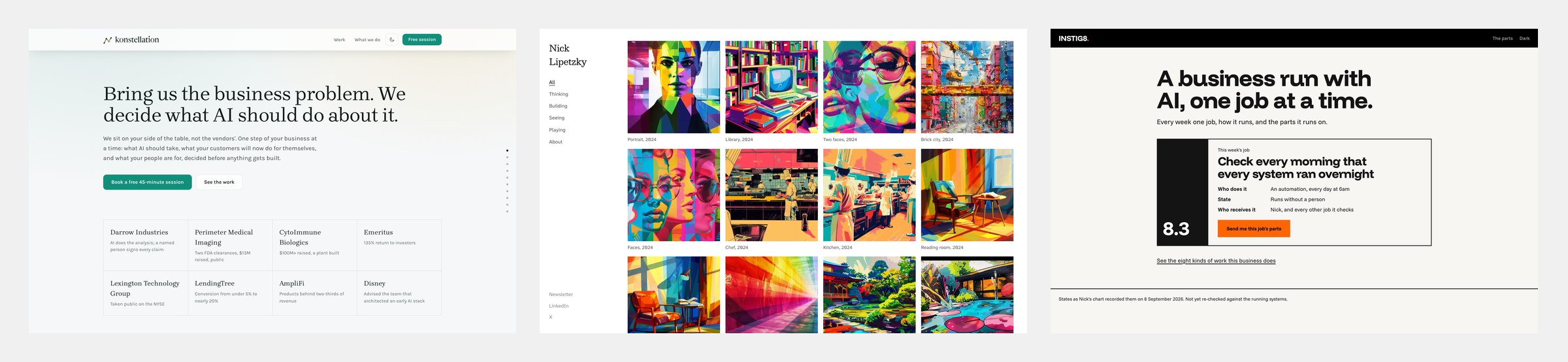
On the morning of 2 October, all three of my websites described a business I had already moved past. By 5:10 that afternoon, all three were rebuilt and live. So were thirteen videos, a logo, a personal design system and a system that turns my recordings into posts. A design system is the set of fonts, colours and styles my pages share. None of it came from one clever prompt. It came from how my work is organised into folders, and that is what this post is about.
I'm writing this for two kinds of reader. If you build, you'll find the folder layout, the prompts I actually typed, and templates to copy. If you run a business and hand this work to others, skip to "What this means if you run a business" near the end.
The short version
- What shipped: konstellationai.com, the site for Konstellation, the business I run with my partner Will Rosellini. It's rebuilt and live, with a new home page, a page for our free 45-minute session and five case-study pages. nicklipetzky.com rebuilt and live as a visual index. instig8.ai, my studio, rebuilt and live around one job a week. Twelve videos made with Remotion, a tool for making videos with code, plus one made without it. A logo kit of 62 files. A personal design system. A content inbox that takes anything I record.
- When: the first prompt was at 8:16 a.m. The last site went live at 5:10 p.m. I worked in Claude Code, an AI assistant that reads and changes files on my Mac. A session is one conversation with it. Several sessions ran at the same time, so I can't give you my own hours honestly. I didn't track them.
- How: about twenty folders, one per job. Each has a file that says what the folder is and a file that says which instructions handle which request. Sessions work inside one folder and hand work to other folders in writing.
- The lesson: the speed came from deciding what each folder is for before asking it to do anything.
- What to steal: the templates are at the end.
Before
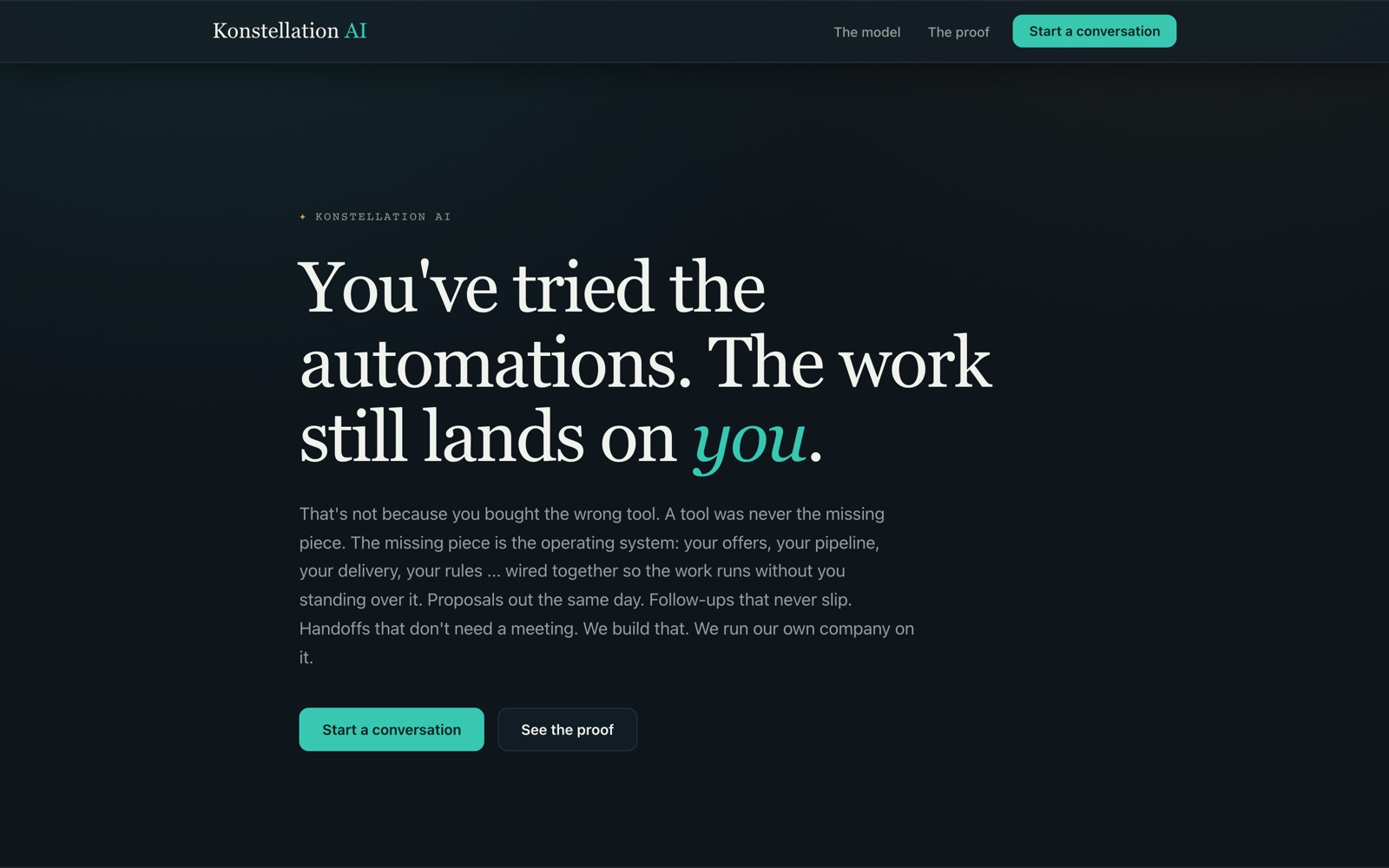
konstellationai.com, two weeks before: dark, with the headline "You've tried the automations. The work still lands on you."
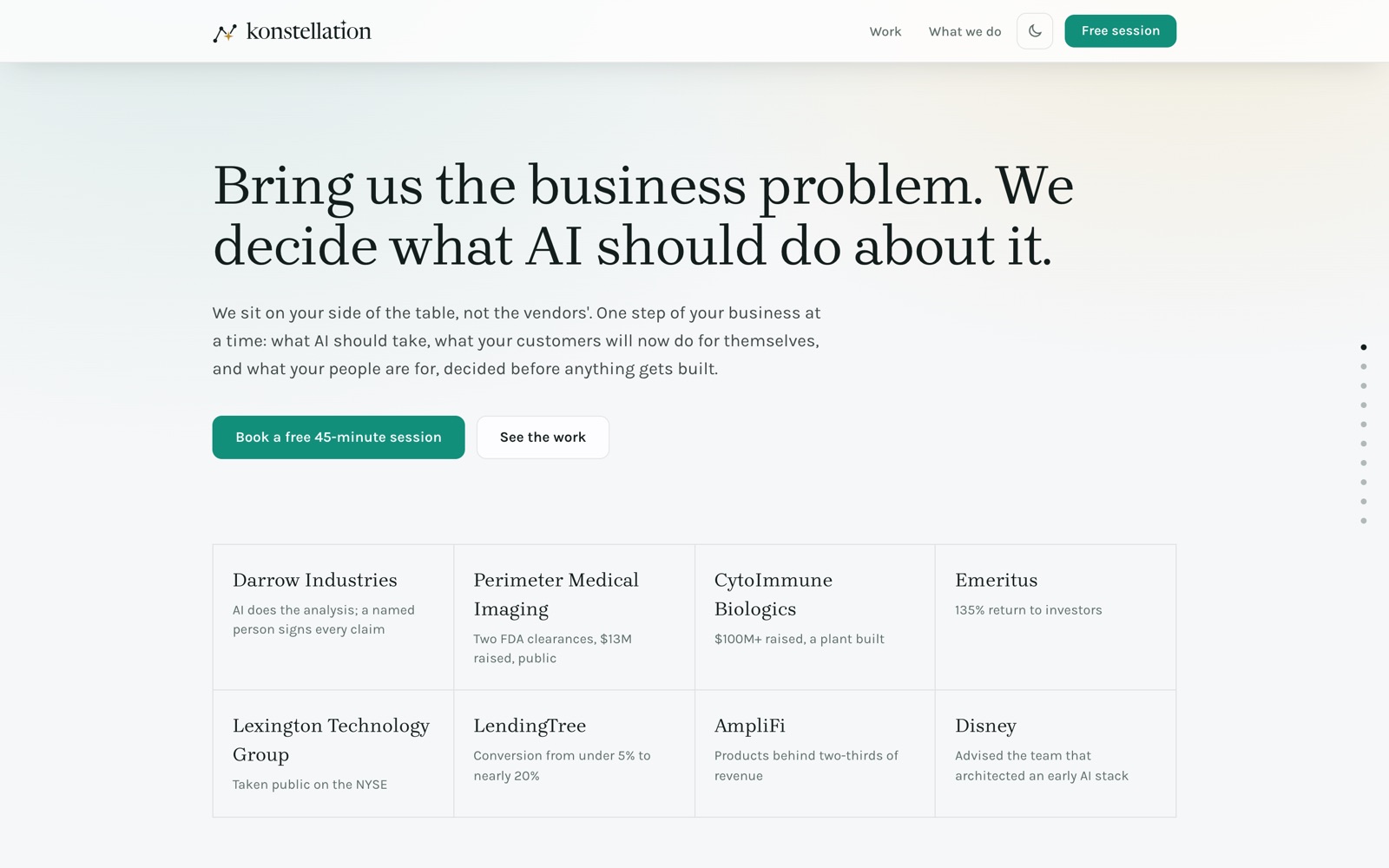
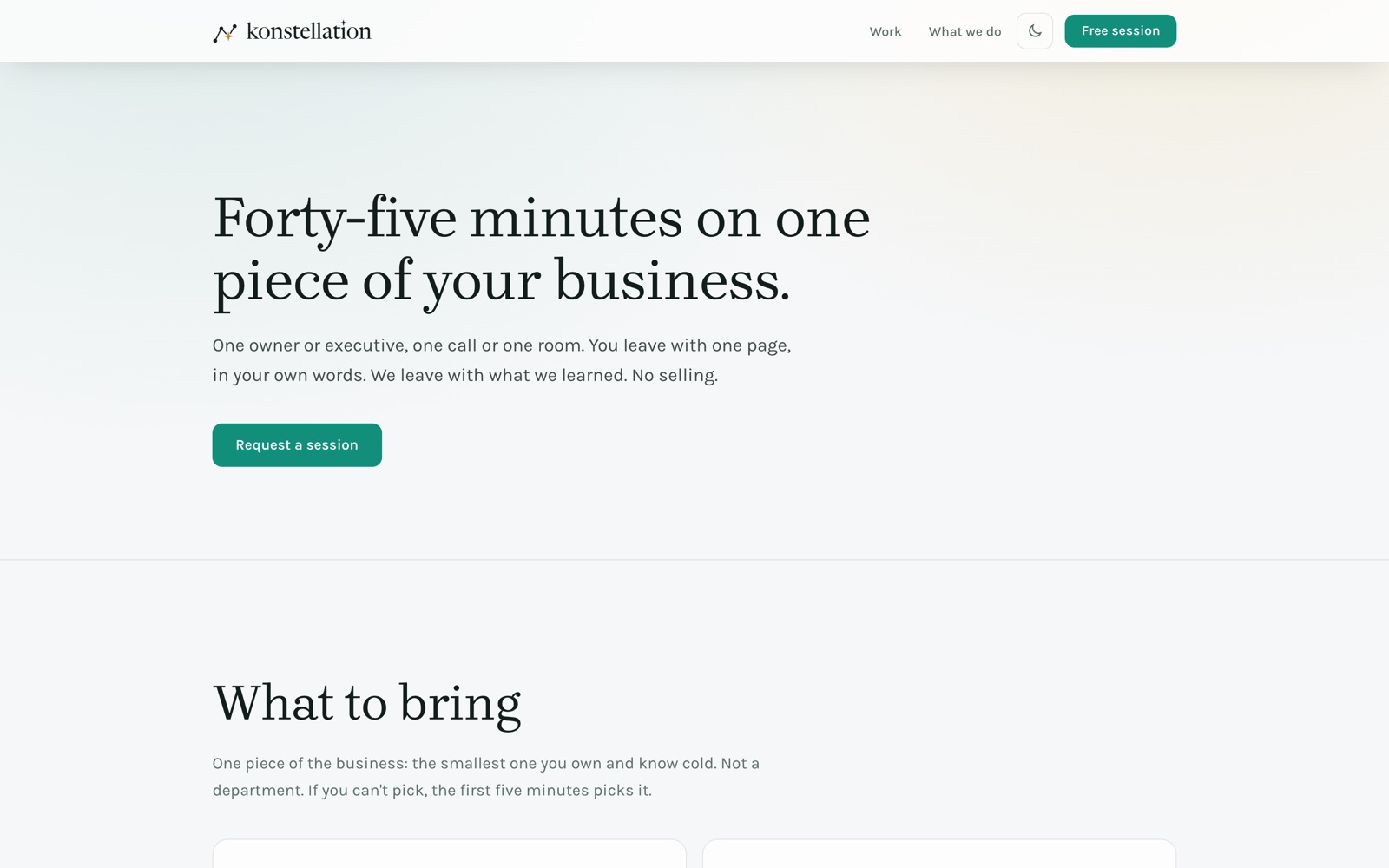
The same site at the end of the day. The problem comes first, then the companies, then one full-screen panel per case, each with a short looping video.
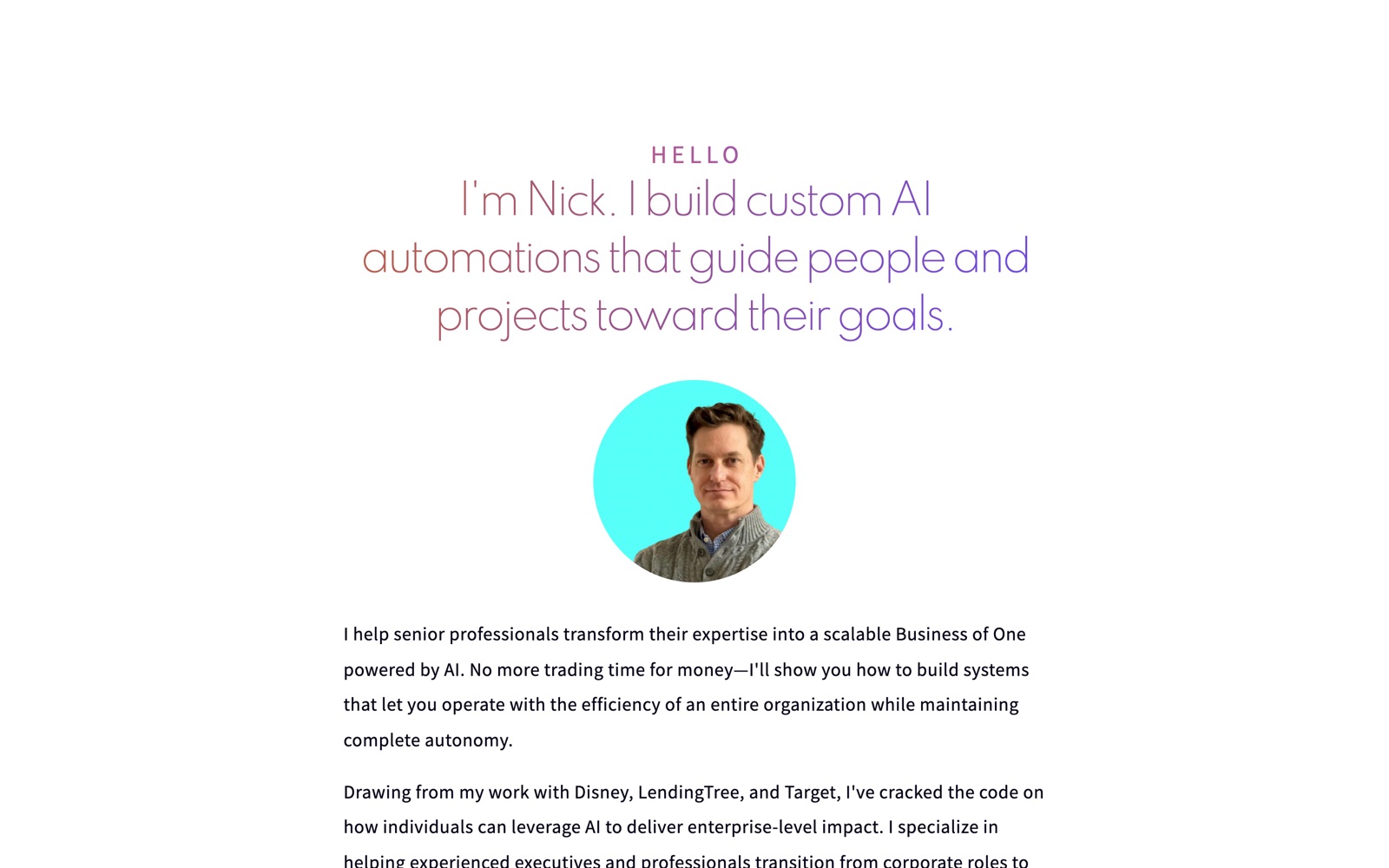
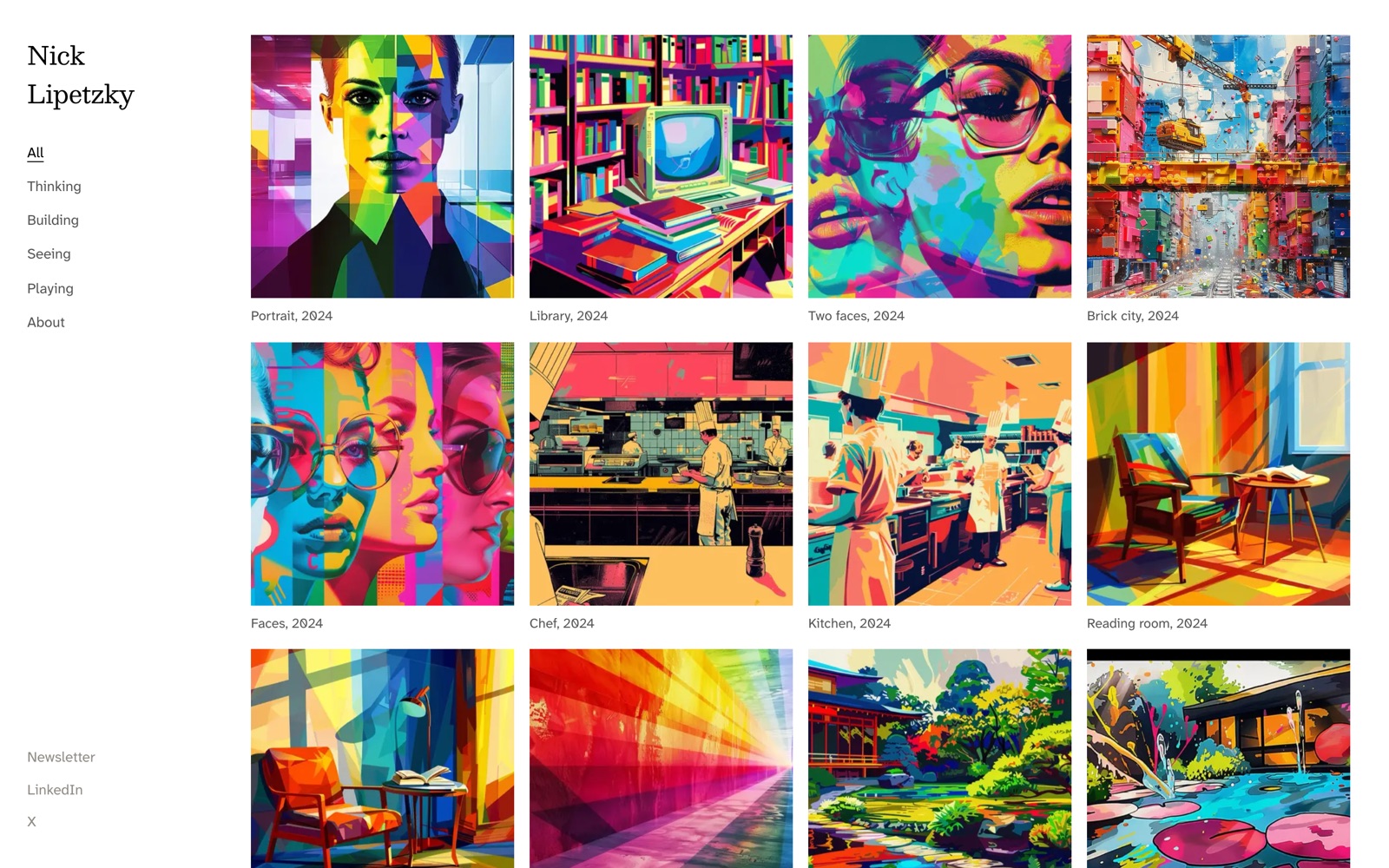
My personal site went from a page selling custom automations to a visual index: a rail on the left, square tiles, one page per piece. This post is one of those tiles.
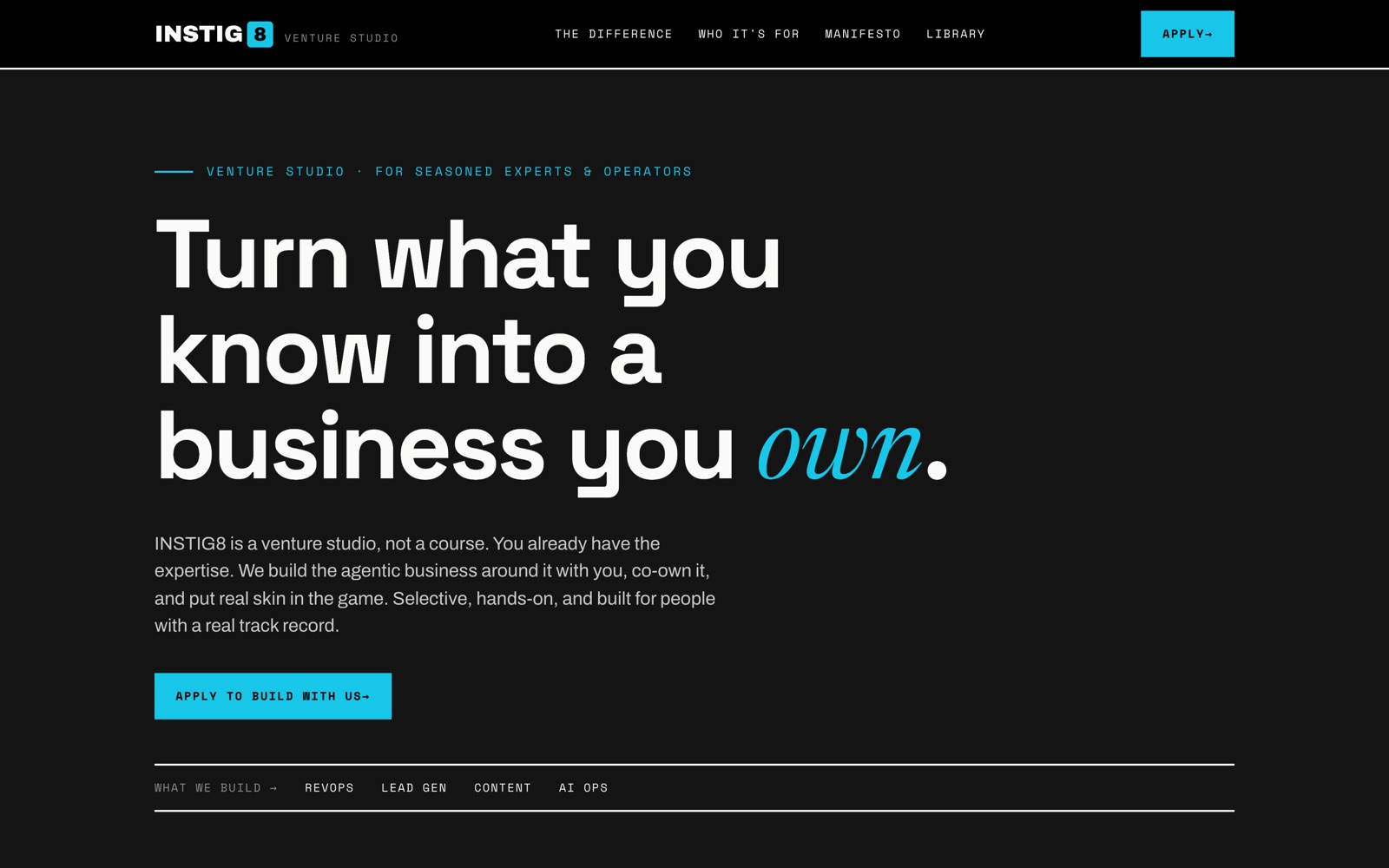
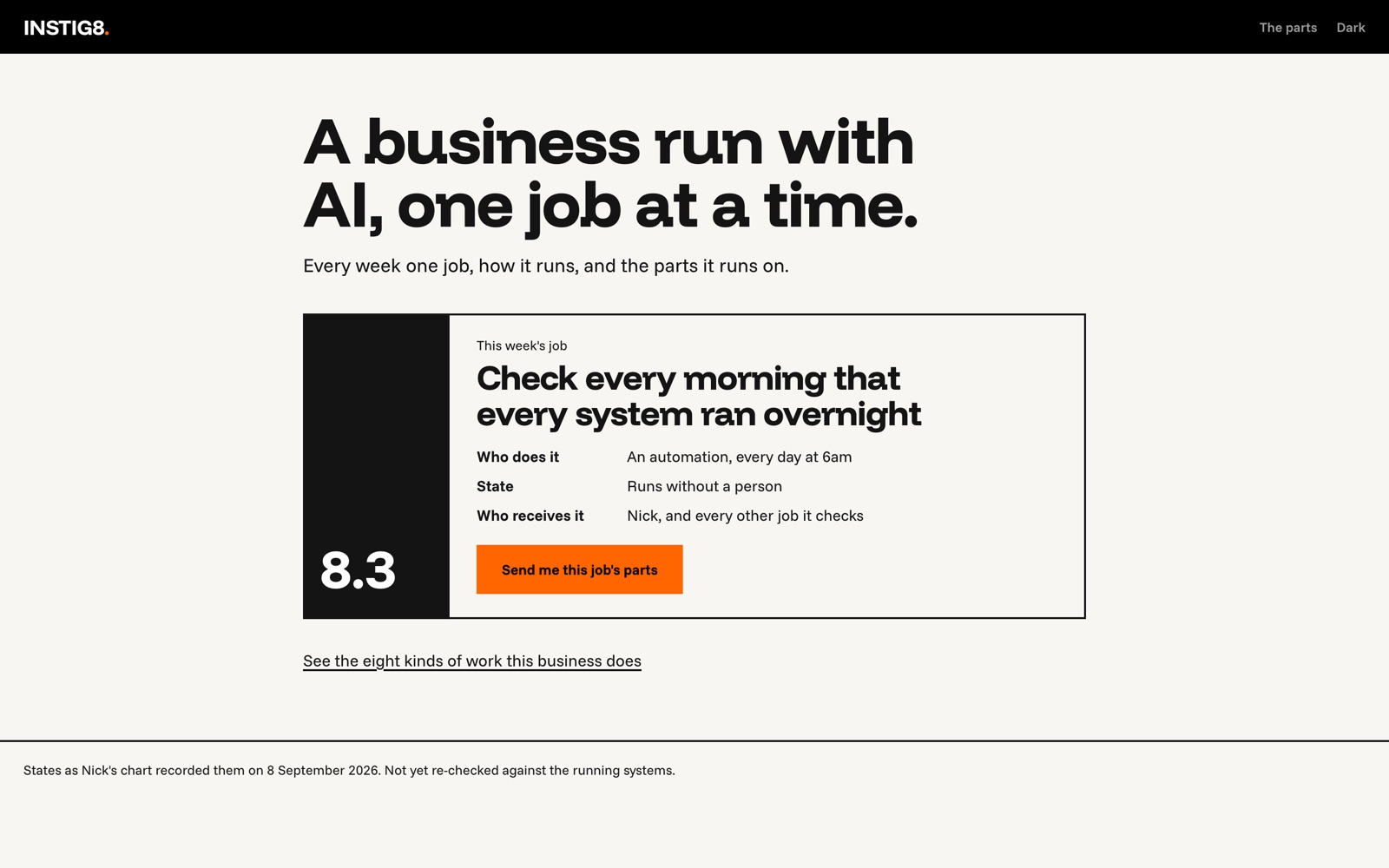
The third site, instig8.ai, was the last to change. That morning it pitched a venture studio. By 5:10 p.m. it showed one job from my own business each week: who does it, whether it runs without a person, and the parts it runs on.
The setup in one picture
Everything I do for the business lives in one folder on my Mac called work (~/work). Inside it are about twenty folders, one per job: the brand, the websites, motion graphics, content, my practice, which I call the line (where the customer stops, where the machine starts, and what the person is for), and so on. Each one is its own git repository. Git is a tool that keeps a history of every change; each saved change, called a commit, gets a time.
The method is not mine. It's called Interpretable Context Methodology (ICM), published by Jake Van Clief and David McDermott in March 2026. Its idea: instead of building one clever AI program, you write plain instructions into folders. Any session that opens a folder then knows what it's looking at. I adapted it to run a whole business.
How one folder works
Every folder answers three questions in three kinds of file.
What is this folder, and where do I go? The top folder's CLAUDE.md is a routing table: a plain text file that says which folder handles which task. Claude Code reads it at the start of every session. Here are the first rows of mine, trimmed:
# ~/work

Nick's business work. Each folder below is its own workspace with its own git
repo.

## Routing ... find your task, go there, read only that

| Task | Go to | Read |
|---|---|---|
| Design a campaign or play before any channel touches it | `content-direction/` | `CONTEXT.md` |
| Make an asset: workbook page, chapter, PDF | `production/` | `CONTEXT.md` |
| Brand line, offer line, landing copy, brand story | `brand/` | `CONTEXT.md` |
| Make a motion graphics video (script, scene spec, Remotion render) | `remotion/` | `CONTEXT.md` |
| Site code: konstellationai.com, instig8.ai, nicklipetzky.com | `web-portfolio/` | `CONTEXT.md` |
The motion graphics row was added at 10:07 that morning. The night before, this table replaced a separate routing file that sessions kept skipping, because it wasn't the file they read first. That cleanup, at 7:19 p.m. on 1 October, is part of why the next day went fast.
Which instructions handle which request? Inside each folder, CONTEXT.md maps requests to stages, the numbered steps the folder's work goes through. "Make this week's posts" goes to one stage; "I dropped something in the inbox" goes to another.
What exactly does a stage do? Each stage has a contract: what it reads, what it does in order, what it writes, and how to check it. Here is the real first stage of my motion graphics folder, trimmed:
# Stage 01: Script

## Inputs
- Nick's request for this video, plus any files, numbers or screenshots he attached
- `../../_config/brands/<brand>/brand.md`
- `../../sources/`, the dated file for this video if Nick pasted one

## Process
1. Name the brand and the job: launch video, animated chart, explainer, promo or reel.
2. Write the message as one sentence. Everything on screen serves it.
3. Write `facts.md`: every name, number, date, quote and result the video will show,
   each with where it came from. A fact with no source is cut, never invented.
4. Split the message into beats. The first beat is the hook and must land inside 3 seconds.
5. Run `creative-copy` on the on-screen lines, then `cold-read`, then `slop-check`.

## Outputs
- `script.md` -> `output/YYYY-MM-DD_<slug>/script.md`
- `facts.md` -> `output/YYYY-MM-DD_<slug>/facts.md`

## Verify
- Every number and name in `script.md` appears in `facts.md` with a source.
Step 3 is why I trust what ends up on screen. The names in step 5 are saved instructions that check the wording. Every number in every video traces back to a file.
The payoff of all three files: a brand new session, with no memory of yesterday, can open a folder and do the job correctly. I don't re-explain anything.
How folders hand work to each other
A session works inside one folder. When the work belongs somewhere else, it doesn't wander over and start editing. It writes a handoff: a file in the other folder that ends with the exact prompt to paste into a new session there. Here is the one the session in my content folder wrote at 11:33 for the website session, which I pasted at 2:11 p.m.:
Read ~/work/web-portfolio/handoff-2026-10-02-site.md first, then CLAUDE.md and
PROGRESS.md here. The job: bring konstellationai.com's home page into line with the
narrative in that handoff (the profile About as the anchor, the line as the method,
the free 45-minute session as the offer), following its rulings. Before changing
anything, put to me in chat, one at a time with your recommendation: whether to
rewrite the home page in place or build a new page beside it, and which of the three
hero lines to use. Then build it, keep /course and /the-workbook working, run the
tests and the build, and show me the page on the preview before anything goes to main.
"Main" is the copy of the code that runs the live site. The preview is a copy I can check before that.
Three of the day's sessions started from a prompt another session wrote. At 1:16 p.m. I asked one session to read the transcript of another session that was still running, and correct its course. It did, and wrote down why.
The day, as it happened
Every time below comes from a git commit, a file's timestamp or the session record.
8:16 a.m. A motion designer in seven and a half minutes
I wanted to see what a session could do with motion graphics. I typed:
Make a dynamic 15-second motion graphics video that shows what an incredible
motion designer you are. Go all out.
At 8:23 I had a 15-second, 1080p, 60-frames-per-second video with a soundtrack the session wrote for it. It drew every frame in code, rendered them in a browser with no window and stitched them together. No video framework was installed for it. I didn't keep it; it was a test.
The better question came next. I wanted to use Remotion, but it has its own way of laying out files. I didn't want it to wreck the folder structure that makes everything else work. So I asked:
The thing I'm trying to figure out is how to maintain the structure from the ICM
but not corrupt the architecture from Remotion.
The answer became rule 7 in the new folder's CLAUDE.md: "Never rename or move anything inside stages/03_production/remotion/; fit the ICM files to it instead." The tool keeps its own shape. The folders wrap around it. The new folder existed at 10:07.
The first Remotion video took eight minutes from prompt to file, at 10:41, and three of those minutes came after the install. It used the wrong brand's design system. I said so, and version two was right.
11:27 a.m. An explainer of my practice
Create an explainer motion graphic for my practice as described in this folder.
~/work/practice/the-line
Use the Konstellation design system and impress me.
Ten minutes later I had an 81-second explainer. "Make a 9:16 version for Reels" took three more minutes. A square version and a GIF followed.
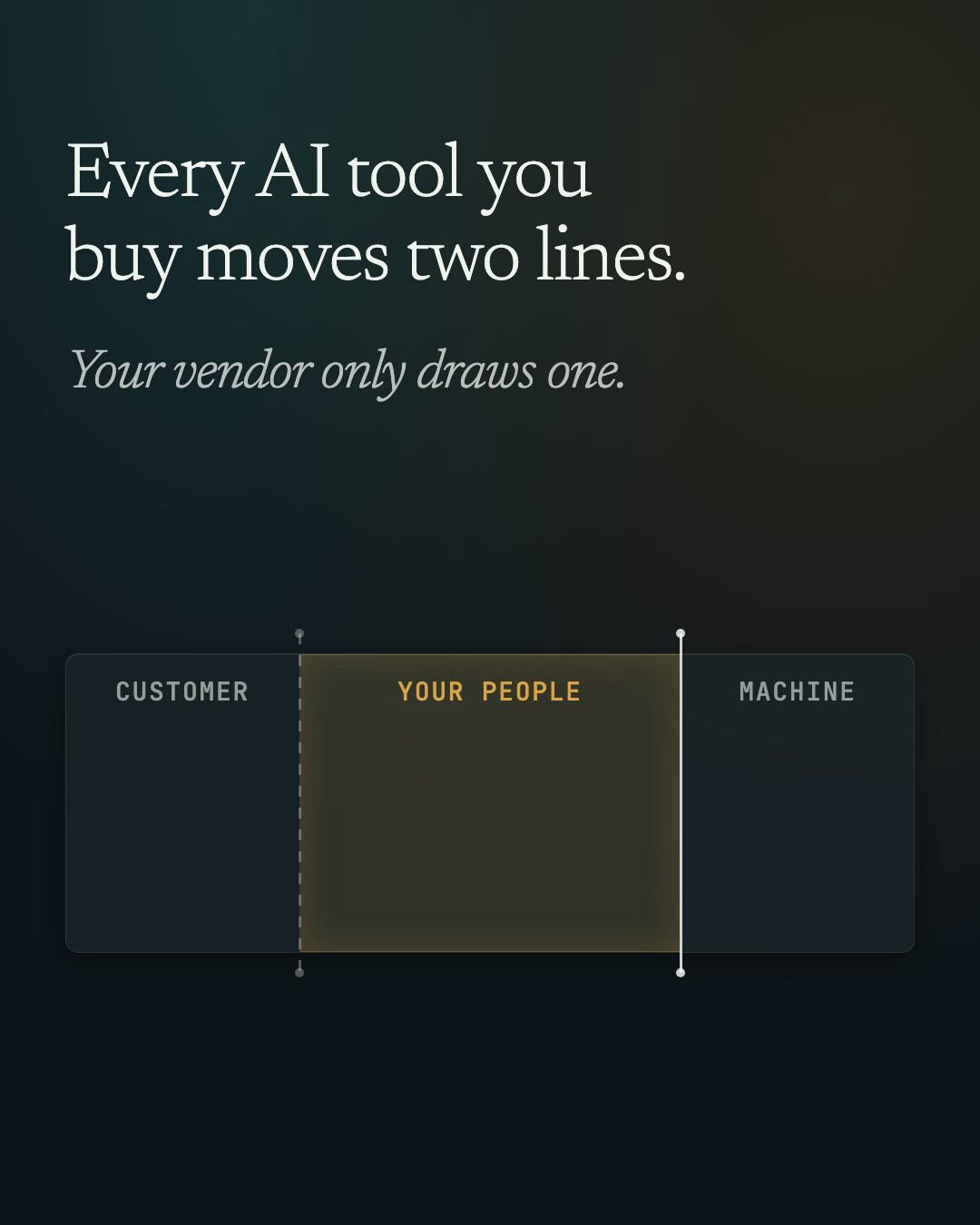
11:58 a.m. Three sites, three jobs
Before touching another page, I asked what each site is for:
Now let's focus on my personal website, nicklipetzky.com. Start by telling me what
its role is with the three entities: this site, nicklipetzky.com, instig8.ai, and
konstellationAI.com. Articulate how all three serve their purpose.
The answer I locked in at 12:06: nicklipetzky.com is the person, konstellationai.com is the decision, instig8.ai is the machine. A stranger meets me on the first. An executive deciding whether to work with us goes on to Konstellation. Someone who builds goes on to INSTIG8, which will hold the tools. That answer went into a file the website sessions read before they touch any of the three sites.
1:32 p.m. A rule against AI-looking design
The first rebuild of my personal site came back with small monospace captions, a look I see on a lot of AI-made sites. Monospace is the typewriter-style font where every letter is the same width. I typed:
I mean, the font: it's the most cliché font on the internet now. People laugh at it
because it's clear that somebody was just lazy and not giving pushback to their AI.
Do not use that font. Do not use a font that is an obvious AI font. Research online
to find out what fonts and what design aspects are obvious AI designs, and then make
a rule to never use those. Then recommend new fonts and any other design elements
after your research.
That produced a rule file every session reads before choosing a font. It lists the fonts and patterns AI tools reach for by default, and the ones they reach for when told to avoid those. Then the session changed fonts on both sites and three design systems. It also added 46 automated tests: checks that stop the site from being built and published if a banned font comes back. nicklipetzky.com went live as a visual index at 1:43.
2:16 p.m. "Message vomit," then "tear it down"
The Konstellation home page had already been through rounds of copy changes, and it still wasn't working. I wrote:
The problem I've been having with these websites created with these AI sessions, is
that they're becoming these overly verbose, confusing message vomit pages. It needs
to be very clear and very straight to the point: what we're offering. Research online
to understand what I'm talking about, and repeat back to me in your own words so I
know we're aligned [...]
It helped, but not enough. At 2:44:
I think you misunderstand me. I keep giving you inputs and prompts, and you just keep
rearranging text and messages in the same design. I want you to tear down this
website. I don't like it. Build a new one [...]
Nine minutes later the home page was rebuilt around the work itself: the problem first, then the names of the companies, then one full-screen panel per case.
The lesson for me: when the output keeps circling, the problem is usually the structure of the page, not the words. Changing the layout fixed in nine minutes what three rounds of copy edits hadn't.
3:01 p.m. Five videos in a minute
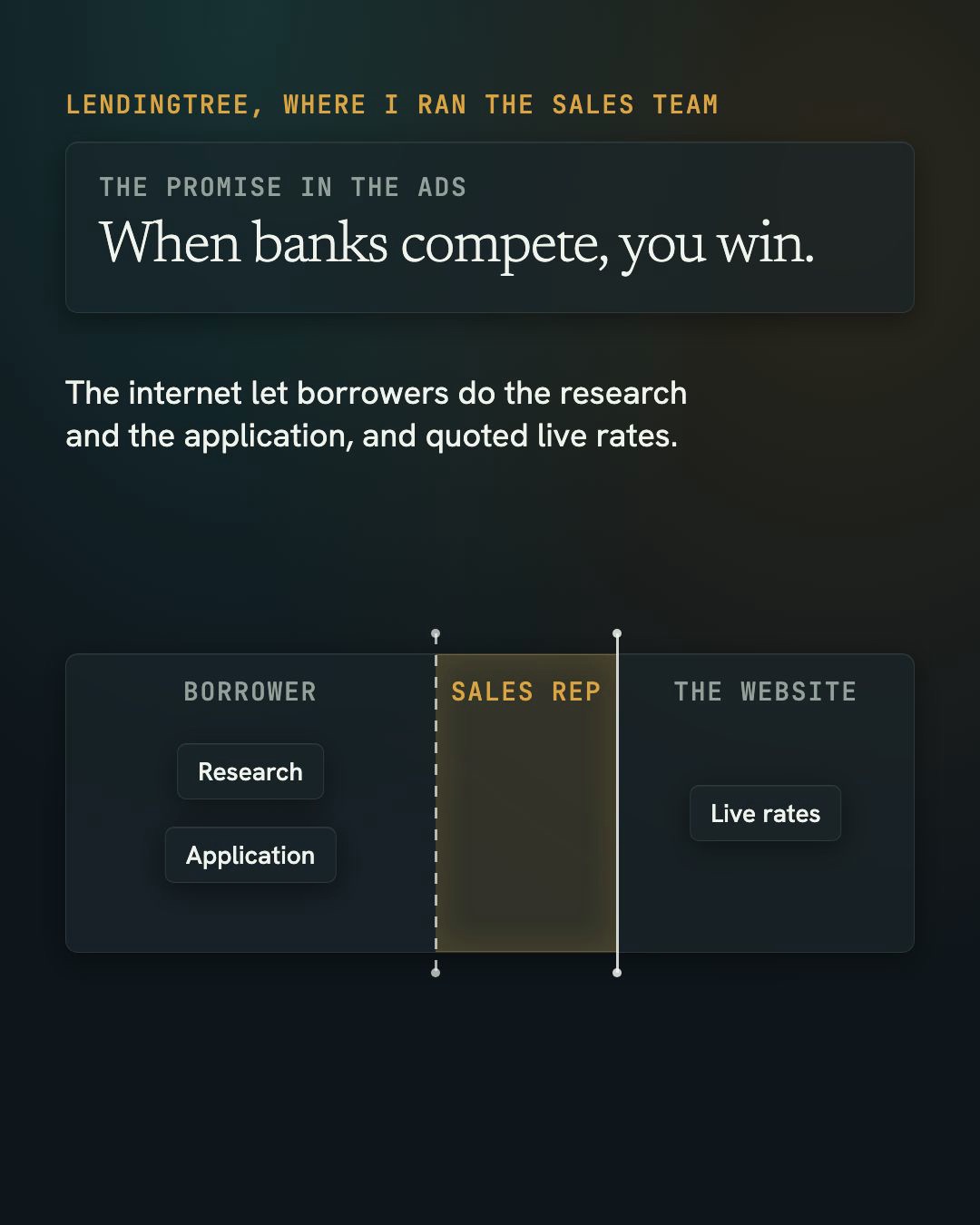
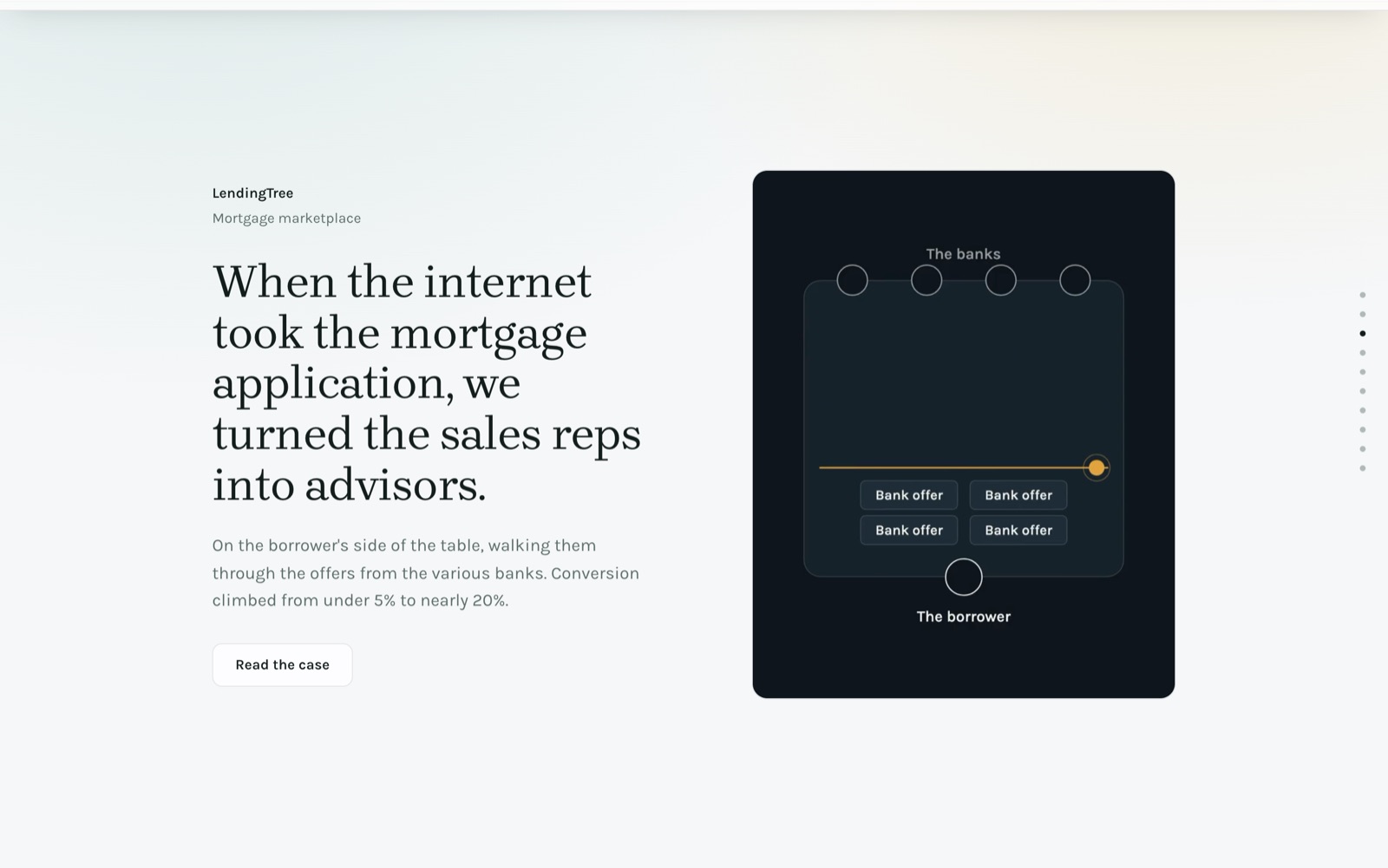
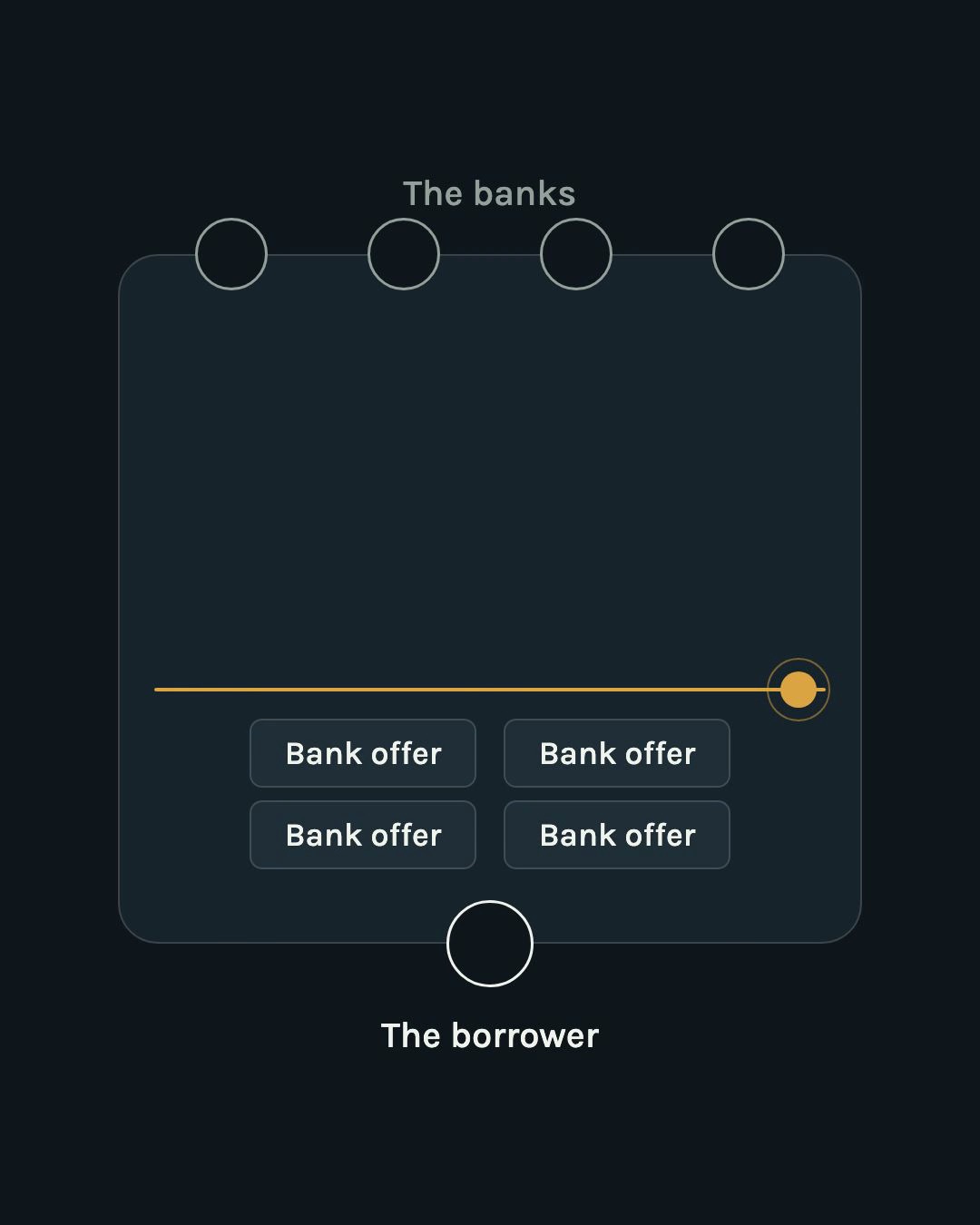
The case panels needed motion. The website session rendered five 11-second loops in the motion graphics folder, one per case. All five rendered between 3:01:22 and 3:02:23. I looked at the LendingTree one and wrote:
it shows three, four is right, add the fourth. And if that colored yellowish dot
represents the line moving, why not make it a line that moves down with the dot?
Version two was rendered at 3:24 and live a minute later.
3:25 p.m. A copywriter's review, then new pages
I asked the session to review the copy as Eugene Schwartz would, the copywriter who wrote Breakthrough Advertising. Then a harder question:
Now ask Schwartz what the executive is going to want after they read the current case
study copy. What I'm asking here is: shouldn't we provide more information? Is that
even enough? I want Schwartz to look at the whole site and understand what our
objective is and whether or not the site is going to deliver it as is [...]
The review found questions a buyer would have that the site didn't answer. "Who will I be talking to?" "What would this look like for us?" By 3:52 there was a page that shows the free session before you ask for it, and five case pages.
Meanwhile: a system for everything I record
While the sites were being built, I opened the folder that decides what content gets made and asked for something bigger than a post:
What I need from you isn't to write the post. I need an architecture for a system, an
ICM folder, or an AirTable automation or system that takes core content like I just
described and then repurposes it for the other audience.
The result is an inbox. I drop anything into it: a screen recording, a voice memo, notes, a transcript, in any format. A session pulls out what I said, idea by idea, in my words with timestamps. Ideas about how I build and run my business become posts for other builders. The same ideas, translated into decisions an executive would make, join my weekly posts for executives. Every piece is tracked in one Airtable base, a spreadsheet-style database, linked back to the recording it came from.
4:06 p.m. Putting our names on it
The last change to konstellationai.com: the "Who we are" section on konstellationai.com had described two anonymous partners. Now it names my partner Will Rosellini and me, links to our LinkedIn profiles, and says why a decision about AI needs both of us.
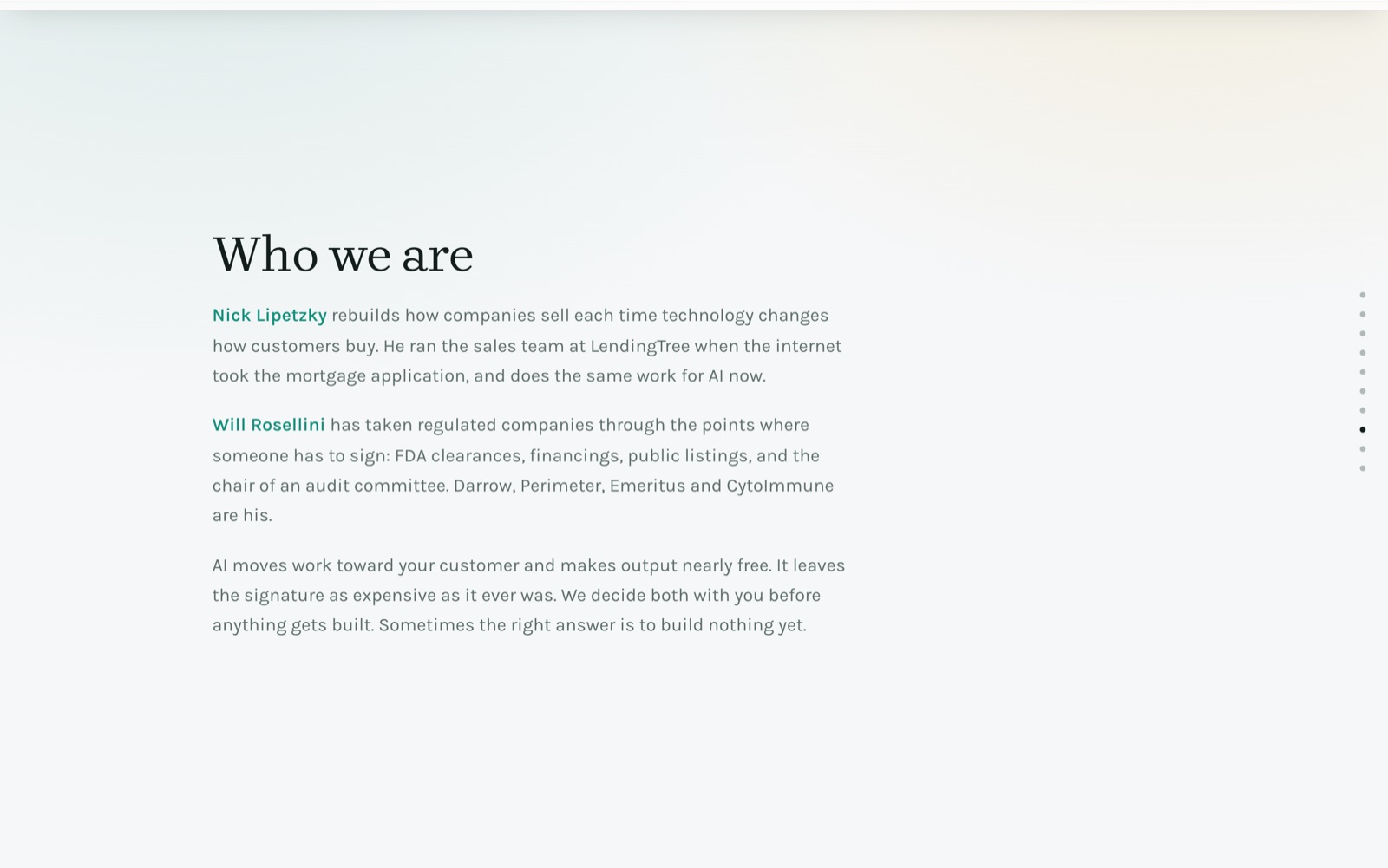
When the session tried to push it live, Claude Code's own permission check stopped it. It labelled the push a production deploy, meaning a change to the live site. The session finished everything up to that point on a branch, a separate copy of the code that isn't live. Then it gave me one command to type into my Mac's terminal. I ran it at 4:29. All 96 tests passed, and the page was live about thirty seconds later.
5:07 p.m. The third site
At 4:06 a session opened in the website folder from a handoff another session had written, to work out what instig8.ai is for. I answered its best question at 4:23:
That's the best question. What should it leave us with? This is where people will go
to get all of the tools, all of the repos, the GitHub URLs for the downloads, and the
AirTable and n8n templates. Everything I build, I'll templateize and add to this
website.
The design I approved was mocked up in Claude Design first. At 5:07 the rebuild was committed: one job first, then the eight kinds of work around the business, each opening into its jobs. instig8.ai deploys by hand, not on a push, and it was live at 5:10.
What went wrong
A day like this has misses. These are the real ones.
- Sessions stepped on each other three times. One saved an old copy of a folder's progress file, where it records what's done, over a newer one. One committed another session's half-finished deletions, which took a page on my personal site offline for about an hour. One committed a first draft of a page while another session was still writing it. Each was caught and repaired the same day. Running several sessions at once is fast, and this is the cost.
- The wrong design system, on the first Remotion video. I caught it by eye. Version two was right.
- AI-default fonts. The fix was a rule file and 46 tests, so it can't come back quietly.
- Copy rearranged in circles until I asked for a teardown.
- The motion folder's own instructions pointed at files that didn't exist. The website session noticed while rendering and wrote a fix-it prompt. A new session in the motion folder ran it and repaired the files.
- A test blocked our names. The site's tests banned personal names everywhere. The fix allowed them in one section only, and proved the ban still works elsewhere by planting a name and watching the test fail.
- Three fact checks are still open on the case videos: possible errors, logged in the motion folder. They aren't fixed yet.
The habit that matters most: when something goes wrong, the fix goes into a file, not just into the output. The font complaint became a rule every session reads:
+ ## Never use these fonts
+ First-tier defaults (what AI uses with no instruction):
+ Inter, Inter Display, Geist, Geist Mono, Roboto, Arial, Open Sans, Lato, ...
+ Second-tier defaults (what AI uses when told to avoid the first tier):
+ - Monospace for labels and captions, any of them ...
+ A font is also out if it appears as a recommendation in a current AI design
+ guide or AI font skill. Check before choosing; this list goes stale.
The numbers
Only what the records show.
| What | Number | From |
|---|---|---|
| Commits across the nine repositories that changed, 5 p.m. on 1 October to 4:35 p.m. on 2 October | 119 | git log, per repository |
| Commits to the websites repository on 2 October | 34 | git log |
| Files touched in the websites repository on 2 October | 129 | git log |
| Sites rebuilt and live | 3 | the live sites, git log |
| New pages on konstellationai.com | 6 (the session page and five case pages) | git log |
| Videos made | 13 MP4s and 1 GIF (12 with Remotion) | the output folder |
| First motion graphic, prompt to finished file | about 7.5 minutes | session record |
| First Remotion video, prompt to file | about 8 minutes (3 after install) | session record, file time |
| Five case loops | rendered in about 1 minute | file times |
| Logo kit | 62 files | the logo folder |
| Tests at the last push | 96 of 96 passed | terminal output |
| Push to live | about 30 seconds | read back from the live page |
| Claude Code sessions involved | 17 | session files |
| My own hours | not tracked |
Steal this
Five starting files. Replace the parts in capitals. None of them need my setup.
1. The top-level CLAUDE.md: a routing table.
# ~/WORK

What this folder is: YOUR BUSINESS, ONE SENTENCE. Each folder below is one job.

## Routing: find your task, go there, read only that

| Task | Go to | Read |
|---|---|---|
| JOB ONE, IN THE WORDS YOU'D USE TO ASK FOR IT | `FOLDER-ONE/` | `CONTEXT.md` |
| JOB TWO | `FOLDER-TWO/` | `CONTEXT.md` |
| Build or change a folder like these | `WORKSPACE-BUILDER/` | `CLAUDE.md` |

## Rules that hold everywhere
- Never invent a fact. Write UNKNOWN instead.
- Finished work goes in a folder's `output/`, not in the chat.
2. A folder's own CLAUDE.md: what it is.
# FOLDER NAME

You are in FOLDER NAME: the one place for JOB. WHO uses what it makes, and for what.

Main request: "THE THING YOU'LL SAY MOST OFTEN." Run `stages/01_.../` then
`stages/02_.../` without stopping. I review once, at the end.

## Never
- THE MISTAKE YOU NEVER WANT REPEATED.

Start with `CONTEXT.md`. It routes each request.
3. CONTEXT.md: which instructions handle which request.
| Request | Go to | Read |
| :--- | :--- | :--- |
| "THE MAIN REQUEST" | `stages/` | `stages/01_STAGE/CONTEXT.md`, then `stages/02_STAGE/CONTEXT.md` |
| "A SECOND KIND OF REQUEST" | `stages/03_STAGE/` | `stages/03_STAGE/CONTEXT.md` |
| Where things stand | root | `PROGRESS.md` |
4. A stage contract.
# Stage 01: NAME

## Inputs
- WHAT THIS STAGE READS, BY PATH

## Process
1. FIRST STEP. End with WHAT EXISTS WHEN IT'S DONE.
2. SECOND STEP.
3. Check every number and name against a file. Cut what has no source.

## Outputs
- `THING.md` -> `output/YYYY-MM-DD_<slug>/THING.md`

## Verify
- HOW YOU'D KNOW IT'S RIGHT, CHECKABLE BY SOMEONE WHO WASN'T THERE.
5. A handoff prompt from one folder to another.
Read ~/WORK/OTHER-FOLDER/handoff-DATE-TOPIC.md first, then CLAUDE.md and PROGRESS.md
there. The job: WHAT TO CHANGE, AND WHY, IN ONE SENTENCE. Before changing anything,
put to me in chat, one at a time with your recommendation: DECISION ONE, DECISION TWO.
Then build it, keep WHAT MUST KEEP WORKING working, run the checks, and show me the
result before anything goes live.
Your first request. Pick one job you do every week. Make one folder for it with files 2, 3 and 4. Then open a Claude Code session in that folder and ask for the thing you'd normally do yourself.
If you'd rather have the five files in your inbox as one folder, with a prompt that interviews you through filling them in for your own job, they're kit 004 in the library. One email, and nothing after it unless a new page earns it.
What this means if you run a business
Work I'd normally hand to a designer, a video editor, a developer and a copywriter got done in a day. The tools weren't the reason. Every folder started with a plain statement of what that job is for, what it reads, what it produces and how you'd know it's right. That's a job description, written before anything gets automated.
That's the same order I'd ask any leadership team to follow: decide what the person's job is first, then build the machine to that job. A tool given a vague job does vague work very quickly. The written jobs are what you keep; the tool can be swapped.
If you want to try it, start with one recurring job in your business, not a transformation program. Write down what it's for and how you'd know it worked. Then hand it to a tool, or a person.
The workbook I use with executive teams for that first step, the job written before the machine, is free at konstellationai.com/course.
Credits and further reading
- Interpretable Context Methodology, by Jake Van Clief and David McDermott: the paper and the code. The method behind the folders.
- Remotion, for making videos with code.
- Harper Reed, My LLM codegen workflow atm.
- Mitchell Hashimoto, My AI Adoption Journey.
- Dan Shipper and Kieran Klaassen, Compound Engineering, on turning every mistake into a rule.
Where this goes next
instig8.ai is where the tools behind days like this one will live: the repositories, the templates and the automations, one job at a time. Each one will be made into something you can download and use.
If you want the next build log when it's out, the newsletter sign-up is on this site. And if you try the templates, tell me the first job you put in a folder.